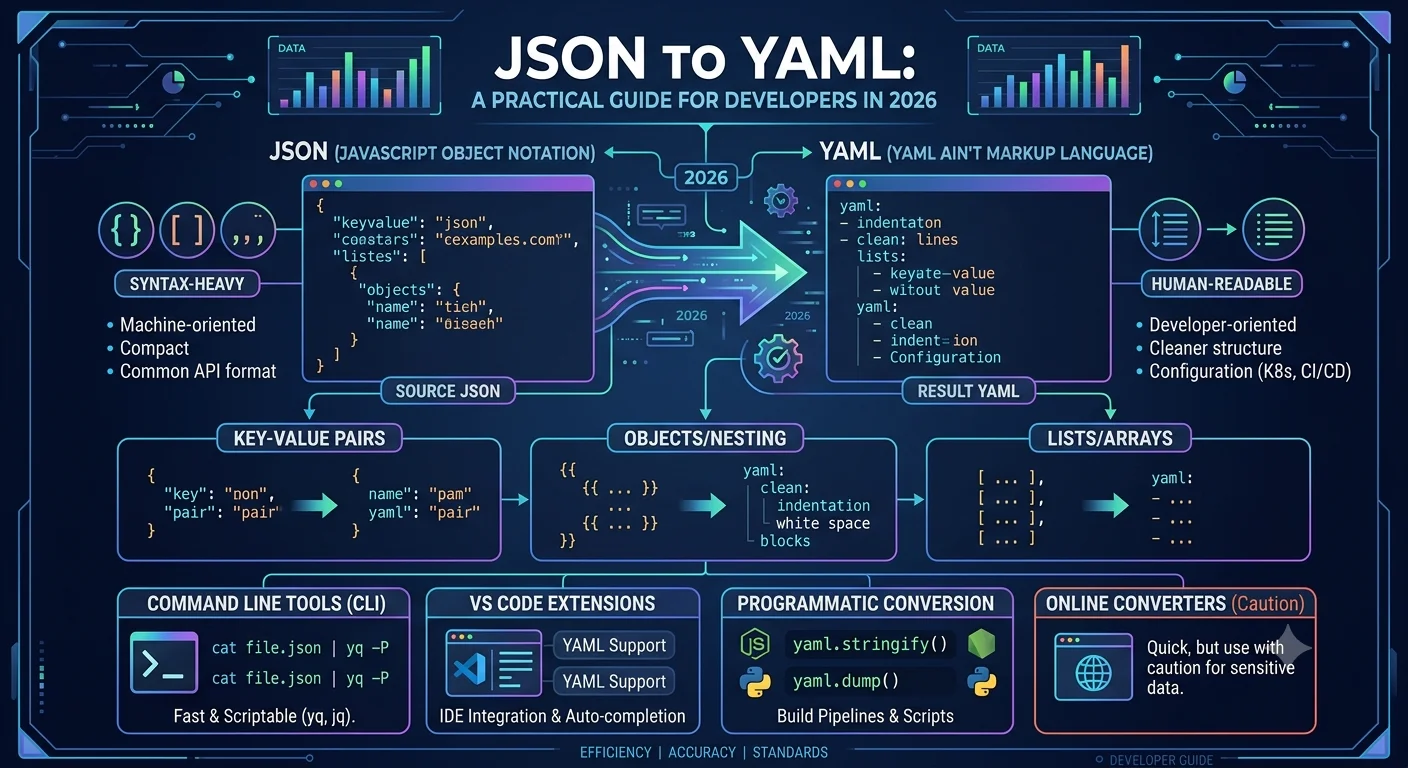
Every developer eventually runs into a moment where JSON data needs to become YAML, and it usually happens at the worst possible time, right before a deployment or in the middle of writing a configuration file. JSON and YAML store the same kind of information, but they look nothing alike on the page, and that difference causes more confusion than it should. Tools like Multiconverters.net exist specifically to take the guesswork out of this process, giving developers a fast, reliable way to handle this conversion without writing a script from scratch every single time.
This article breaks down what JSON to YAML conversion actually involves, why it matters in real projects, and the small details that separate a clean conversion from a broken configuration file.
Why JSON and YAML Keep Showing Up Together
JSON was built for machines. It is compact, strict, and easy for almost any programming language to parse instantly. YAML was built with humans in mind. It strips away most of the punctuation and relies on indentation, which makes it far easier to read and edit by hand, especially in long configuration files.
This is exactly why the two formats keep crossing paths. Kubernetes manifests, GitHub Actions workflows, Ansible playbooks, and countless other DevOps tools expect YAML, while the data behind them is often generated or returned in JSON from an API or a script. Anyone working across both worlds eventually needs a dependable way to move between the two without making a mistake that breaks a deployment.
If you want to skip the manual rewriting entirely, the JSON to YAML handles this exact task, turning a JSON file into properly formatted YAML in seconds rather than minutes.

What Actually Happens During the Conversion
A JSON to YAML conversion does not change the data itself, only the way it is written. A JSON object wrapped in curly braces becomes a YAML block defined purely by indentation. A JSON array inside square brackets becomes a YAML list, with each item marked by a dash instead of a comma.
Here is a short example to make the difference obvious.
JSON:
{ "service": "Payment Gateway", "port": 8080, "enabled": true, "regions": ["us-east", "eu-west"] }
YAML:
service: Payment Gateway port: 8080 enabled: true regions: - us-east - eu-west
Same values, same meaning, completely different visual structure. This is the entire point of conversion. The data stays accurate while the format changes to match whatever tool or platform is reading it.
Where This Conversion Actually Matters
Kubernetes configuration files are written in YAML almost universally, even though the underlying Kubernetes API communicates in JSON behind the scenes. Developers who generate deployment configurations programmatically often produce JSON first, then need it converted before applying it to a cluster.
GitHub Actions, GitLab CI, and similar platforms define their pipeline steps in YAML. Teams that build pipeline configurations dynamically, perhaps generating steps based on project settings stored in JSON, need a clean conversion step before that pipeline file can actually run.
Recommended Articles
 GENERAL POSTS
 GENERAL POSTS
 GENERAL POSTS
 GENERAL POSTS
- Why Online Calculators Have Become Essential Everyday Tools
- How to Identify and Fix PC Bottlenecks: A Complete Guide for Gamers and Builders
- IT Word Search: The Smartest Way to Learn Technology Terminology
Frameworks such as Spring Boot and tools like Ansible read their settings from YAML files. When that configuration data starts out in JSON, whether pulled from a database or an API, converting it properly is a necessary step before the application can use it.
Common Mistakes That Break a YAML File
|
Mistake |
Why It Causes Problems |
|
Mixing tabs and spaces |
YAML relies entirely on consistent indentation, and most parsers reject mixed whitespace |
|
Treating unquoted yes or no as plain text |
YAML interprets these as boolean values automatically, which can silently change your data |
|
Ignoring trailing whitespace after a colon |
Some YAML parsers handle this fine, others throw unexpected errors |
|
Assuming every string needs quotes |
YAML only requires quotes when a string contains special characters, unnecessary quoting just adds clutter |
A surprising number of YAML errors come down to whitespace, not logic. Since YAML uses indentation instead of brackets to define structure, even a single misplaced space can shift how a parser interprets the entire file.
A Quick Comparison of JSON and YAML
|
Feature |
JSON |
YAML |
|
Structure defined by |
Brackets and braces |
Indentation |
|
Readability for humans |
Moderate |
High |
|
Comments allowed |
No |
Yes |
|
Common use case |
APIs, data exchange |
Configuration files |
|
Strictness |
Very strict syntax |
More flexible, but indentation sensitive |
Tips for a Smooth Conversion
• Always validate the YAML output after conversion, since a small indentation error can pass silently until the file is actually used.
• Keep a copy of the original JSON file before converting, particularly when working with production configuration.
• If the JSON contains deeply nested objects, double check that the converted YAML reflects the same nesting levels correctly.
• For repeated conversions inside an automated pipeline, a dedicated converter saves significant time compared to writing and maintaining a custom script for a task that already has a reliable solution.
Conclusion
JSON to YAML conversion is one of those small technical tasks that quietly shows up across DevOps work, configuration management, and everyday development, and getting it right matters more than most people expect. Understanding how the structures map to each other, and where common formatting mistakes tend to creep in, makes the entire process far less error prone. With the right approach, converting JSON to YAML becomes a quick, predictable step rather than a recurring source of frustration.