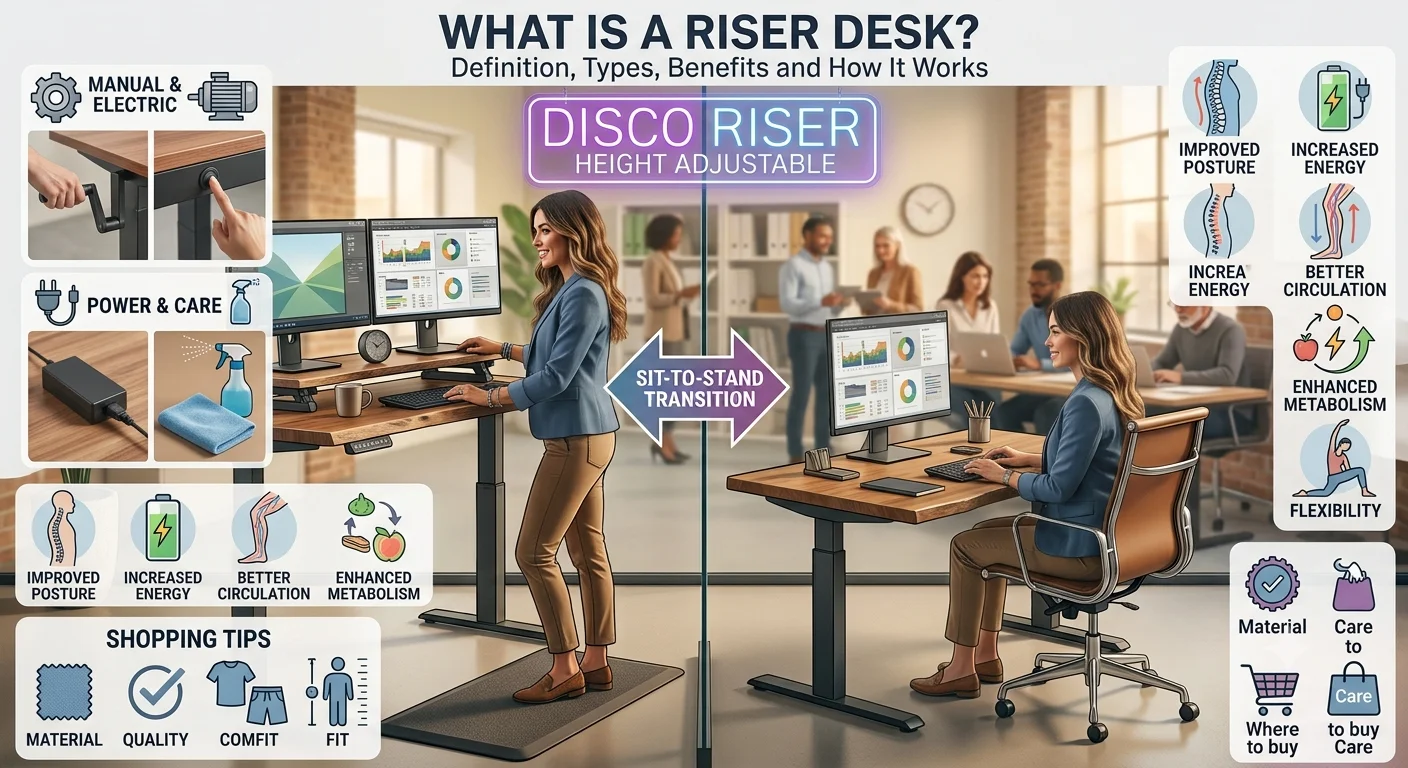
What is a riser desk? A riser desk is a movable desk attachment that can be added to your existing desk. It enables you to stand and sit throughout the day and is used to elevate your computer, keyboard, and mouse to a standing height. It is also known as a desk riser, desk converter, or standing desk converter.
Essentially it is a desk that sits on top of a desk. You can elevate it to stand and lower it to sit. Benefits can be realized in moments, and no tools are necessary for assembly.
Fast facts
A riser desk is a mobile desk attachment that can transform a standard desk into a sit-stand desk. It has a top section for your computer and a lower section for your keyboard and mouse. As the riser desk is moved, these two sections move as one to ensure good ergonomics for both sitting and standing.
How does a riser desk work?
- Fast facts
- How does a riser desk work?
- Types of riser desk
- Fixed height riser
- Manual gas spring riser
- Electric riser
- Compact/Portable Riser
- X-lift and Z-lift
- Top benefits of a riser desk
- 1. Helps to alleviate back and neck pain
- 2. Enhances good posture
- 3. Increases energy and concentration
- 4. Promotes activity
- 5. Cost-effective
- 6. Can continue to use current desk
- 7. Rapid assembly
- 8. Space-saving
- Comparison of riser and standing desks
- Who should use a riser desk?
- Many people find riser desks suitable.
- How to correctly assemble a riser desk
- Computer screen
- Keyboard and mouse
- Standing
- Anti-fatigue mat
- Weight Capacity
- Width
- Depth
- Height
- Stability
- Electrical requirements
- Advantages
- Disadvantages
- Commonly asked questions
- What is a riser desk for?
- How much does a riser desk cost?
- Does a riser desk actually help with back pain?
- How long should I stand on a riser desk?
- Can I use a riser desk with a laptop?
- Conclusion
Riser desks have a mechanism that can be used to elevate and lower them. Again, the type of mechanism varies depending on which riser desk is purchased.
Gas spring (most popular)—simply operate a lever to allow the riser desk to effortlessly elevate. No electricity is required. It is quick and easy to use.
Manual lever—either pull or push a lever to secure the desk at your desired height. Simple and economical. Most suitable for those that only wish to change the height of their desk on occasion.
Crank—turn a crank to elevate and lower the desk. Although slower than gas spring and manual lever options, this allows accurate height control.
Electric/motorized—press a button to automatically raise and lower a riser desk. Particularly suitable for those frequently changing between sitting and standing and for more heavy-duty equipment.
Most riser desks have a base that is designed to spread weight. This ensures good desk stability and provides support for your computer, keyboard, and other items. There is sufficient room underneath the riser desk for free access to your existing desk drawers and storage.
Types of riser desk
There are various types of riser desk available to suit differing requirements and budgets.
Fixed height riser
Once fitted, this does not elevate or lower. It is best suited to those wishing to stand at a particular height and does not wish to change this. It is good for individuals who already know what their optimum standing height is.
Manual gas spring riser
This is the most popular riser option. Operate a lever to easily elevate the riser desk. No electricity is needed. Again, it is both quick and easy to use and is well suited to office environments. Particularly suitable for those frequently switching between sitting and standing.
Manual lever or crank riser: These are the most economical choices. They function adequately but require some extra physical exertion to elevate. A good choice for those on a budget.
Electric riser
This uses a motor to automatically elevate and lower. Many also have the facility to store favorite sitting and standing heights. Being heavier than manual riser desks, it will also require access to a nearby electrical point. It is particularly appropriate for more professional settings and for those with more than one computer monitor or heavy equipment.
Compact/Portable Riser
Designed for saving on space, this is well suited for cubicles, small flats and shared desks. It still allows the sit-stand functionality to be utilized without compromising on the workspace.
X-lift and Z-lift
X-lift riser desks are vertical in nature. Z-lift versions lean forward slightly when elevated. Generally, x-lift options are more stable and also save more space.
Top benefits of a riser desk
1. Helps to alleviate back and neck pain
Around 90% more pressure is exerted upon the discs in your spine when sitting than when standing. Furthermore, if your computer is at the correct eye-level and your keyboard is correctly positioned, you will instinctively sit and stand up straight. Consequently, there is less likelihood of you slouching, and this eases neck, shoulder, and back pain—issues that are relatable to the majority of desk-based professionals.
2. Enhances good posture
Having your screen at the correct height results in more relaxed shoulders and neck. Good posture then results in fewer body aches and is less tiring towards the end of the day.
3. Increases energy and concentration
As you stand, more blood and oxygen is circulated to your brain. Consequently, the 3PM post-lunch dip is considerably lessened for those who regularly change between sitting and standing during the day. Many people also cite that they are more awake when they are not sitting all day.
4. Promotes activity
Health professionals advise that individuals should sit, stand, and undertake light activity (for example, stretching or walking) for 20, 8, and 2 minutes, respectively. By integrating sit-stand functionality into your working day, these mini activity sessions can easily occur and will not interfere with your work.
5. Cost-effective
Generally, good quality riser desks are available for between $80 and $400. In comparison, complete electric standing desks can range in price from $400 and above. Therefore, for those wishing to trial sit-stand functionality without making a large investment, a riser desk is a cost-effective option.
6. Can continue to use current desk
Should you be attached to your current desk—for example, if it is made of solid wood or has integrated storage—then a riser desk enables you to continue to utilize it and still gain the advantages of being able to stand whilst working.
7. Rapid assembly
For the majority of riser desks, no tools are required, and they can be assembled in 5-10 minutes. They are therefore a good solution for renters, those in shared workspaces, and/or people who are unable to make permanent changes to their working environment.
8. Space-saving
As a desktop attachment, riser desks do not add to the floor space that is already occupied. Consequently, they are a good option for those in small rooms, shared workspaces, and/or home offices.
Comparison of riser and standing desks
This is a highly searched query, and it is important to understand the difference between a riser and a standing desk.
Unlike a standing desk, a riser desk is a top attachment for your current desk. Only the area of the desk that your computer, keyboard, and mouse are on is elevated.
Whilst a standing desk fully replaces your work area. Typically, it is either electric or crank operated, and the whole desk can be elevated and lowered. It provides greater working space at both sitting and standing heights. However, it is considerably more expensive and necessitates replacing potentially liked furniture.
Recommended Articles
 GENERAL POSTS
 GENERAL POSTS
 GENERAL POSTS
 GENERAL POSTS
Alongside standing desks, sit-stand and height-adjustable desks also fall into the same category. Essentially, they are desks that can have their entire surface elevated.
- Cowgirl Party Hat Styles: The Ultimate Guide to Shop Disco Cowboy Hats for Every Celebration
- JSON to YAML: A Practical Guide for Developers in 2026
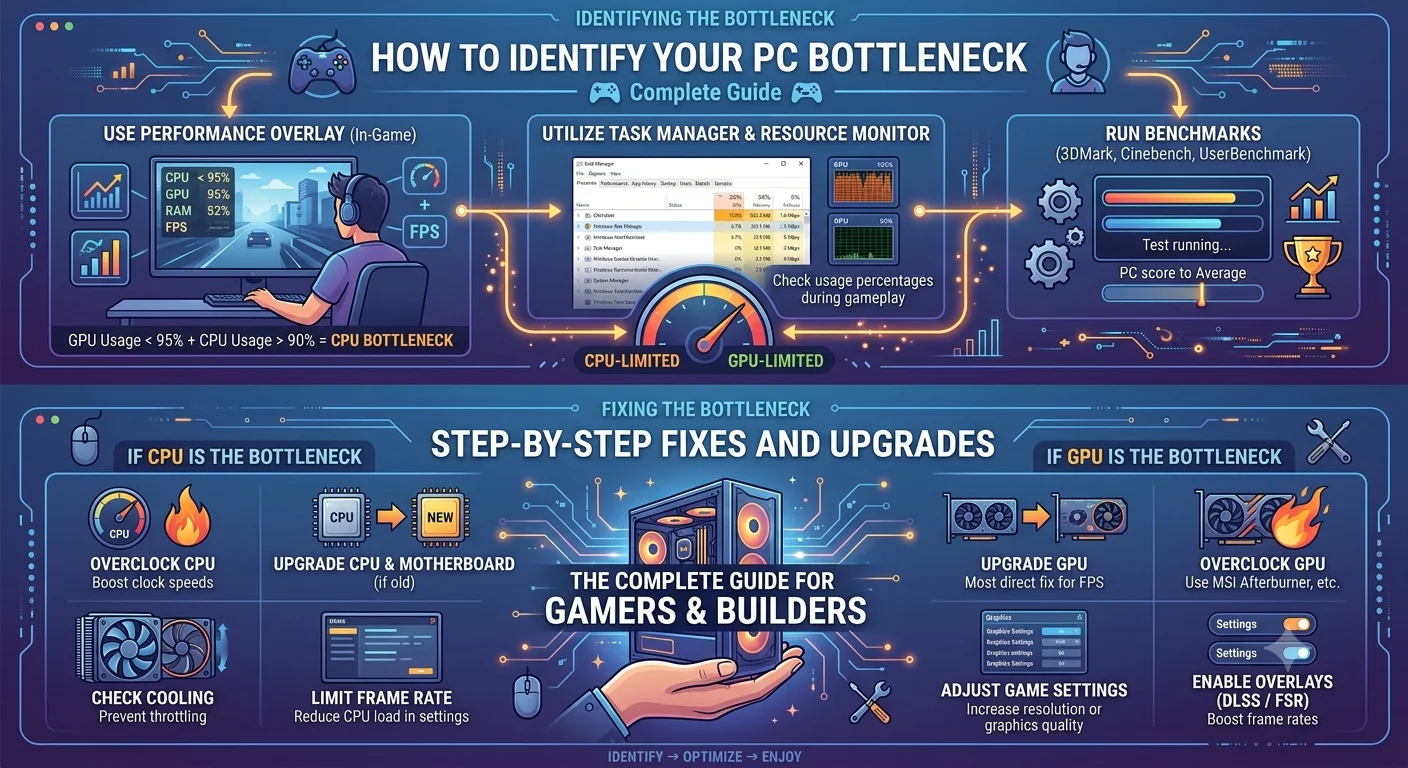
- How to Identify and Fix PC Bottlenecks: A Complete Guide for Gamers and Builders
Typically, if you already have a desk that you are fond of and are new to sit-stand working, then a riser desk is both a more intelligent and economical option.
Who should use a riser desk?
Many people find riser desks suitable.
Home workers often favor riser desks, as they can be added to an existing desk and are not particularly space demanding.
Office professionals appreciate their ease of assembly and the fact that furniture does not need to be moved. Furthermore, there is no requirement to seek permission to renovate an office.
Those in shared workspaces gain the greatest advantage, as individuals can tailor the desk height to their personal requirements throughout the day.
Professionals such as writers and coders who work at computer keyboards for the whole day also greatly benefit. Correct positioning of a riser desk effectively alleviates both screen- and keyboard-related neck and wrist pain.
Budget-conscious individuals wishing to enjoy the health benefits of standing but not wishing to replace their furniture.
As mentioned above, renters and/or those unable to make permanent alterations to their working environment also find riser desks highly suitable. No desk or room alterations are necessary.
How to correctly assemble a riser desk
Whilst selecting the right riser desk is an important stage, it is equally crucial that it is correctly assembled so that new issues are not introduced.
Computer screen
When standing, the top of your computer screen should ideally be at or just below eye height. Should it be too low, you are likely to hunch over. Likewise, if it is too high, you will be forced to look up and so put undue pressure on your neck.
Keyboard and mouse
Your elbows should ideally form a right angle, and your wrists should be relaxed and straight. Ensure that your wrists are in a neutral position—not angled up or down.
Standing
Stand with your feet approximately shoulder-width apart. Avoid having locked knees. Frequently shift your body weight to prevent tiredness.
Anti-fatigue mat
If you intend to stand for extended periods, an anti-fatigue mat can be very beneficial. It helps to lessen foot, knee, and lower back pressure.
Gradual introduction
Rather than standing for the whole day, begin by standing for short periods and then progressively extend this time. Many experts advocate changing between sitting and standing every hour. Alternatively, adhere to the 20-8-2 rule—sit for 20 minutes, stand for 8 minutes, and then undertake 2 minutes of gentle activity.
Considerations for Purchasing a Riser Desk
Weight Capacity
Generally, riser desks can support up to around 25-35 lbs. Should you have two large computer monitors and/or heavy equipment, it is important that you verify that the chosen desk can support the required weight.
Width
For one computer monitor, a minimum desk width of 28 inches is required. Where dual monitors are used, a desk width of 35 inches or more is needed. Measure your monitors to determine the most appropriate desk width.
Depth
For desks of 24 inches or less in depth, a compact riser desk should be used. Otherwise, a full sized riser will overhang the edge and may be unstable.
Height
Electric riser desks generally provide a large height adjustment range – usually between 70-120cms. This means that they are suitable for people of differing heights.
Stability
Poor quality riser desks tend to become unstable at maximum height and when weighted, particularly when typing and/or video-conferencing. Seek out x-lift options and ensure that the desk is robustly constructed.
Electrical requirements
Electric risers must have access to an electrical point. In contrast, manual and gas spring risers can be used in any location.
Overview of riser desk advantages and disadvantages
Advantages
Easy and rapid assembly (no tools required). Significantly more economical than a full standing desk. Enables continued use of existing furniture. Suitable for small spaces and does not alter room configuration. Easily transportable.
Disadvantages
Only part of the desk can be elevated. The remainder remains at its original, fixed height. Dual-level riser desks require a minimum desk width of 35 inches, as they occupy desk top space. Weight capacity can be an issue for dual monitor set-ups. Poor quality riser desks can also be unstable at maximum height and when weighted.
Commonly asked questions
What is a riser desk for?
A riser desk can be attached to a standard, fixed height desk to convert it into a sit-stand desk. It allows you to switch between sitting and standing during the day to aid posture and increase energy, without requiring you to replace your desk.
Is a riser desk the same as a standing desk?
No. Whereas a riser desk is a top attachment for your desk and only part of the desk can be elevated, a standing desk fully replaces your work area and enables the whole desk to be raised and lowered.
How much does a riser desk cost?
Generally, good quality riser desks range in price from $80 to $400. Electric riser desks with memory settings are usually more costly. Complete electric standing desks can cost from around $400 and above.
Does a riser desk actually help with back pain?
Yes. As previously explained, sitting for prolonged periods of time causes dramatically greater pressure to be placed upon the spinal discs than does standing. By using a riser desk, it is possible to more evenly share this pressure and so alleviate back, neck and shoulder pain in due course.
How long should I stand on a riser desk?
It is advisable to initially stand for brief periods and then build up this duration. Many professionals suggest using the 20-8-2 rule – sit for 20 minutes, stand for 8 minutes and then carry out 2 minutes of light activity. Never stand for the whole day as this, in itself, can cause further issues.
Can I use a riser desk with a laptop?
Yes. Most riser desks can be used with laptops, alongside both single and dual monitors. When using a laptop, you may wish to also use an external keyboard and mouse to ensure that both your neck and wrists are in neutral positions simultaneously.
Conclusion
A riser desk is a straightforward and economical means of adding extra activity into your working day. Not only does it not require furniture replacement, office reconfiguration or large expenditure, it is simply added to your desk and can then be elevated to enable you to stand and lowered to sit. Through making these small changes, positive long-term impacts can be had on both your health and productivity.